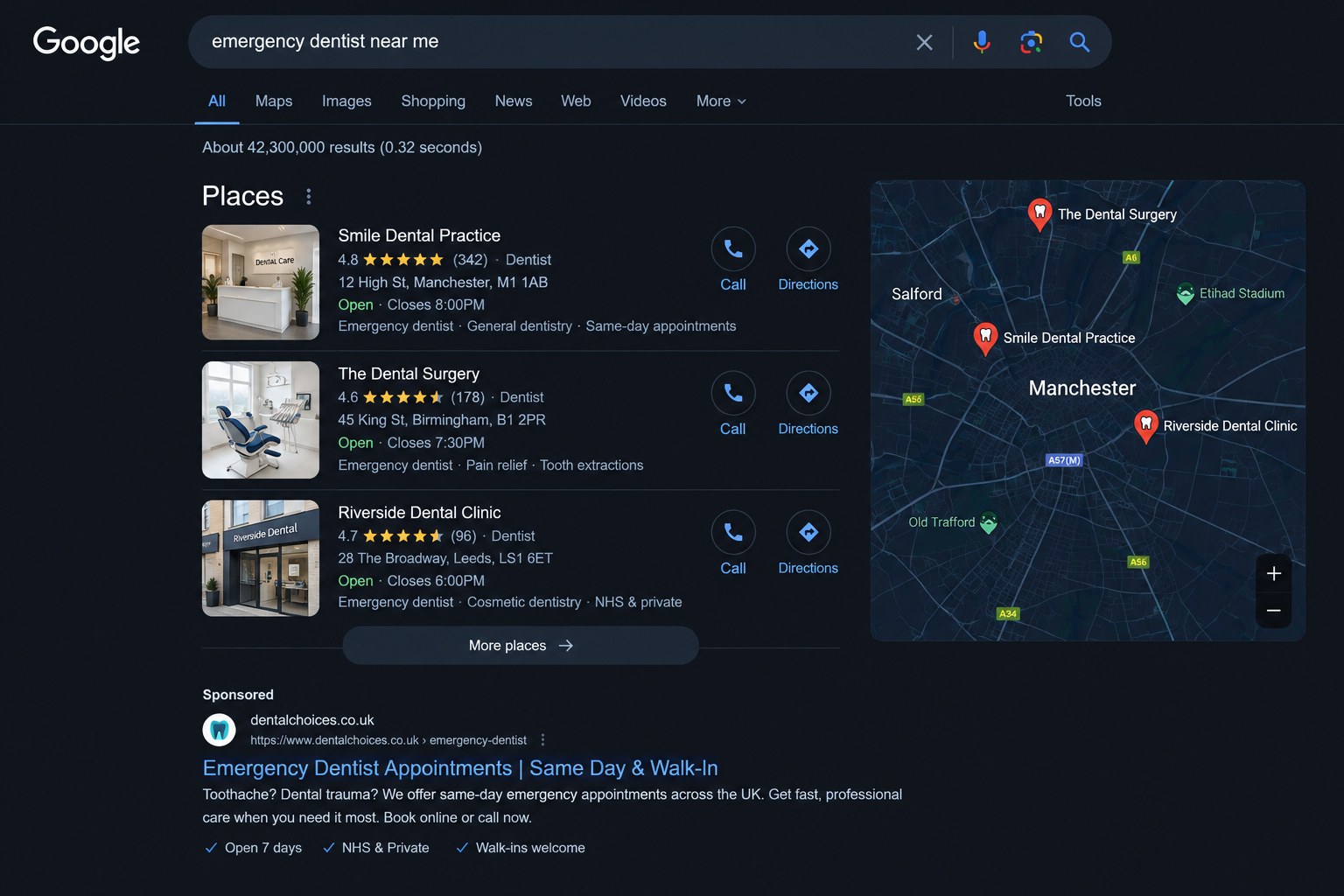
Why emergency dental searches are different
Emergency search intent is usually more immediate than routine or cosmetic dentistry. The person may be dealing with severe pain, swelling, bleeding, trauma or a broken tooth.
They typically want one of four answers:
- Can you see me?
- How quickly can you see me?
- Where are you located?
- What should I do right now?
Your advertising and landing page need to answer those questions quickly.
For urgent NHS dental care, patients may be directed to their regular dentist or NHS 111 depending on their situation and location. A private practice should not present itself as an NHS urgent-care service unless that is accurate.
For example, NHS guidance in several regions directs people with urgent dental problems to contact their dentist or NHS 111 for assessment and appropriate care.
Build a separate emergency campaign
Do not put emergency searches into the same campaign as routine check-ups, Invisalign or implants.
Create a separate campaign with its own:
- budget;
- ad copy;
- call tracking;
- landing page;
- opening-hours rules;
- negative keyword list;
- booking and receptionist process.
Useful search themes can include:
- emergency dentist [city];
- urgent dentist [city];
- same-day dentist [city];
- dentist open now;
- emergency toothache dentist;
- broken tooth emergency dentist;
- dental pain appointment;
- emergency dental appointment.
The exact keyword set depends on the practice, location, opening hours and whether it accepts private, NHS or mixed patients. Review the search-term report regularly instead of assuming every query is relevant.
Potential negative keywords for a private campaign may include terms such as “jobs”, “course”, “training”, “home remedy” and “DIY”. If the practice does not accept NHS patients, NHS-related terms may also need to be excluded — but only after checking the actual search intent and local service model.
Write ads that match the real service
The strongest emergency ad is not necessarily the loudest one. It is the clearest one.
A responsible ad may communicate:
- the location served;
- the type of urgent appointment available;
- the practice’s real opening hours;
- whether phone or online booking is available;
- whether the practice is private, NHS or mixed;
- what the patient should do if the situation is life-threatening;
- that treatment depends on a clinical assessment.
Avoid claims such as:
- “guaranteed emergency appointment”;
- “the best emergency dentist”;
- “pain-free treatment”;
- “we will fix any dental problem today”;
- “24/7” when the phone is not genuinely monitored 24/7.
The GDC says dental advertising must be accurate and not misleading, claims must be supported by facts, and information should not create unjustified expectations.
The GDC also says advertising on marketing and social platforms should make clear that treatment may not be appropriate for every patient and is conditional on a satisfactory assessment.
Send the click to an emergency page, not the homepage
A generic homepage makes an urgent visitor work too hard.
The emergency landing page should show, above the fold on mobile:
- “Emergency dental appointments in [location]”;
- a tap-to-call button;
- a clear online booking button;
- today’s opening hours;
- the exact location and parking or transport information;
- a short statement about fees and private/NHS status;
- a simple explanation of what happens next.
Do not force someone with tooth pain to choose from a large menu of departments, dentists and treatments before they can contact the practice.
For an emergency campaign, the booking flow should usually have one clear action:
Emergency ad → Emergency landing page → Call or short booking form → Reception confirmation
If the practice also advertises implants, lip fillers or other procedures, keep those flows separate:
Implant ad → Implant page → Implant consultation booking
Emergency ad → Emergency page → Urgent call or appointment
Message match matters. The promise in the ad should be obvious on the page.
The phone is part of the funnel
Emergency dental campaigns often generate calls, not only forms. That means the receptionist process is part of paid media performance.
Track:
- answered calls;
- missed calls;
- calls longer than a meaningful threshold;
- qualified urgent enquiries;
- booked appointments;
- attended appointments;
- calls outside opening hours;
- the campaign and keyword that generated the call.
A missed call during a high-intent emergency campaign is not just a customer-service issue. It is paid traffic that may never get another chance to convert.
Set up a simple operating process:
- The call rings the practice and a backup number.
- Missed calls create a callback task.
- Staff record the outcome: booked, not suitable, referred, no answer.
- The campaign report includes calls and bookings, not only clicks.
Keep the mobile booking form short
A long form can destroy the economics of an otherwise good campaign.
In one live dental account, around 6,000 visitors reached the site in seven days while bookings stopped. The booking form required several mobile scrolls and asked the visitor to choose a department, procedure and doctor before reaching the final action.
The fix was simple:
- separate booking pages by procedure;
- remove unnecessary department and doctor selection;
- keep Name, Phone and Date;
- make the form fit on one mobile screen;
- keep the call option visible.
After the change, $30 of spend produced five bookings in two to three days — approximately $6 per booking — plus incoming calls.
This is a Cyprus account, not a UK benchmark, and the case is still live. The point is the conversion principle: fix friction before increasing ad spend.
Measure cost per kept appointment
The basic report should not stop at CPC or CPL.
Use this chain:
Impression → Click → Call/Form → Booking → Kept appointment → Treatment start
The metrics that matter most are:
- cost per qualified enquiry;
- cost per booked appointment;
- show-up or kept-appointment rate;
- cost per kept appointment;
- treatment-start rate;
- revenue or expected patient value where the practice can share it lawfully.
Use the Patient LTV calculator to estimate the maximum acceptable acquisition cost.
A low CPL can still be unprofitable if the lead never books or attends.
Do not put patient medical histories or unnecessary health information into advertising platforms. For marketing reporting, the practice usually needs a source, timestamp, procedure category and appointment status — not clinical details.
A practical 30-day emergency campaign plan
Week 1: Setup
- Confirm whether the practice offers private, NHS or mixed urgent care.
- Confirm real opening hours and emergency capacity.
- Build one emergency landing page.
- Set up call tracking and form events.
- Write the negative keyword list.
- Review ad copy for GDC compliance.
Week 2: Launch
- Launch one focused emergency campaign.
- Use location-specific messaging.
- Add call and location assets.
- Test call-first and booking-first versions.
- Check mobile experience manually on an iPhone.
Week 3: Diagnose
- Review search terms.
- Separate calls from forms.
- Listen to or categorise calls where lawful and appropriate.
- Check missed calls and response time.
- Identify where users abandon the landing page or form.
Week 4: Optimise
- Cut irrelevant search terms.
- Improve the first screen of the landing page.
- Adjust opening-hours messaging.
- Keep the campaign only if the practice can handle the demand.
- Report cost per booked and kept appointment, not only lead volume.
Final principle
Emergency dental advertising is not won by buying the cheapest clicks.
It is won by matching four things:
- the search intent;
- the ad promise;
- the landing page;
- the practice’s ability to answer and book quickly.
The patient is already telling you what they need through the search query. Your job is to remove uncertainty and friction without making promises the practice cannot keep.
Compare Google Ads and Facebook Ads for UK dentists, calculate your patient economics, or book a 15-minute audit with YLD.